
How to Set Up Drogon TV on Apple TV
5 steps with screenshots. You'll need your username, password and server URL — these are issued after checkout and always available in your account dashboard.
Ibo Player Pro
- 1
Apple TV via Ibo Player Pro
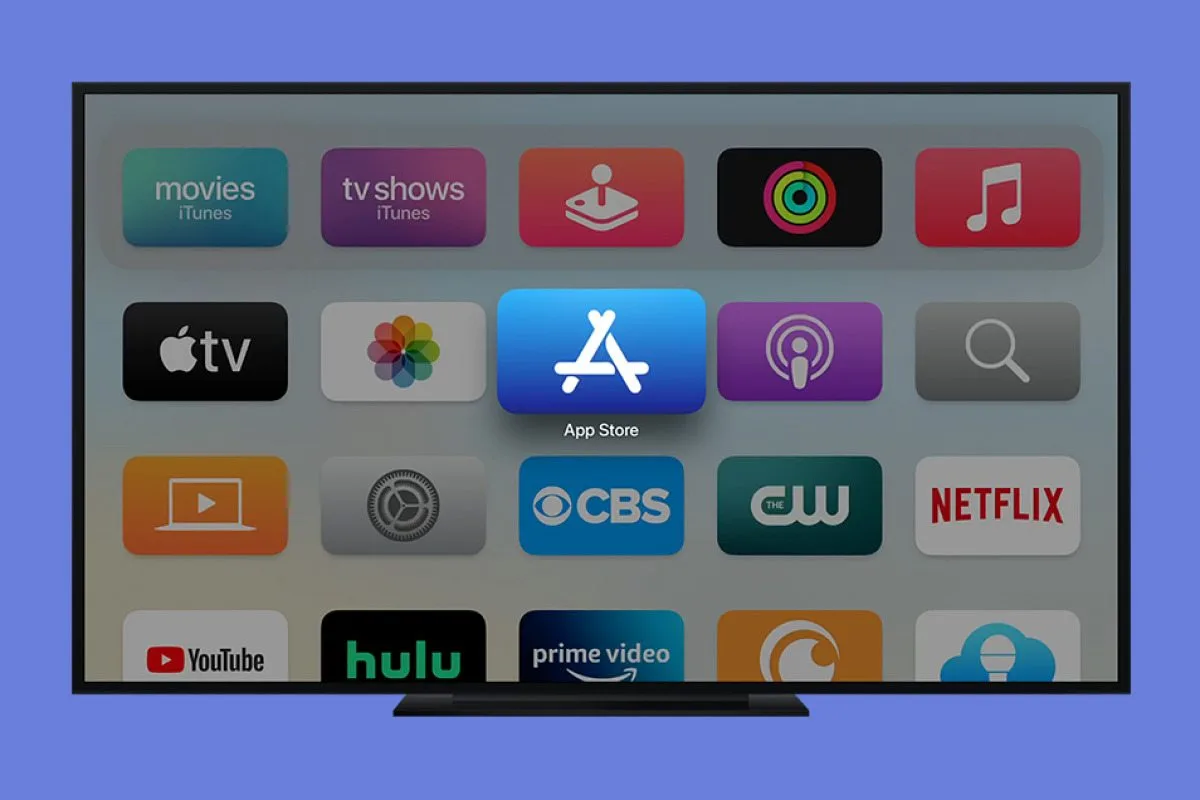
Open the App Store
On your Apple TV, open the App Store from the home screen.
- 2
Apple TV via Ibo Player Pro
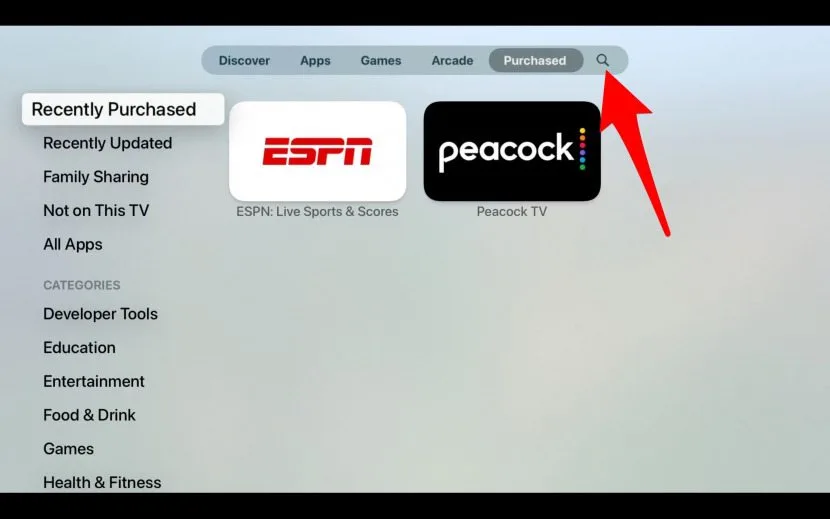
Search for Ibo Player Pro
Use the Search (magnifying glass) to type Ibo Player Pro, then confirm.
- 3
Apple TV via Ibo Player Pro
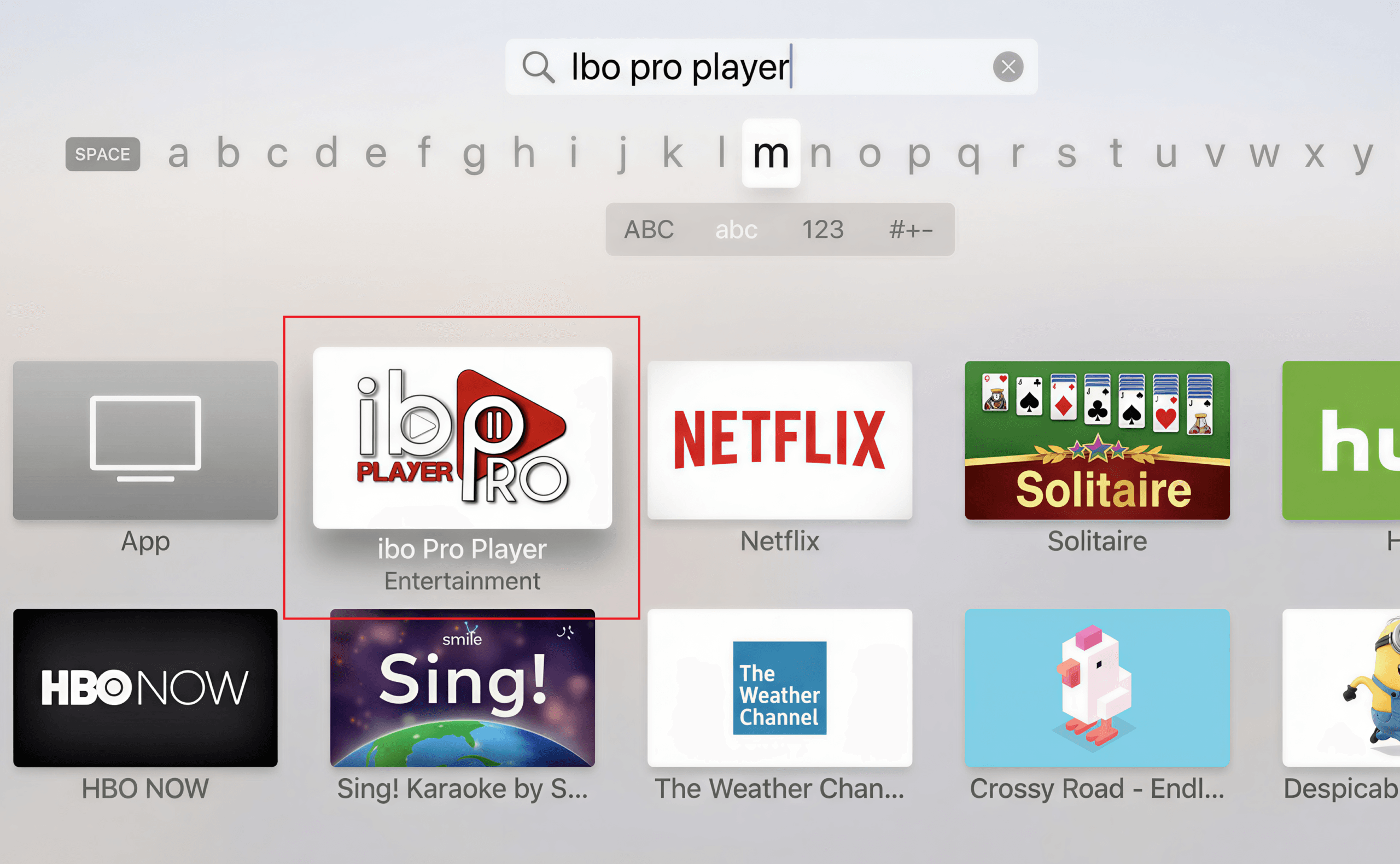
Download & install
On the Ibo Player Pro page, click Get / Install and wait for the installation to finish. Confirm with your Apple ID or Face ID / Touch ID if prompted.
- 4
Apple TV via Ibo Player Pro
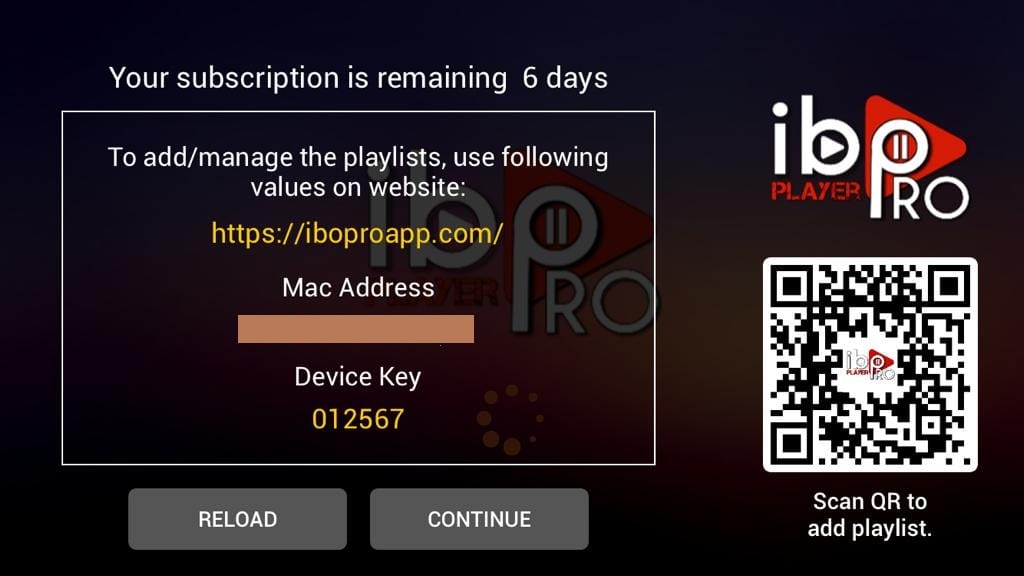
Activate with your MAC & Device Key
Open Ibo Player Pro. It shows your MAC Address and Device Key — note them (a photo works). Then on the Ibo web portal, enter the MAC + Device Key and add your playlist (M3U or Xtream Codes). Need help? Contact our support.
Careful: Ibo Player Pro is a third-party app with its own one-time license fee paid to Ibo — it is not included in your subscription.
- 5
All set
Ibo Player Pro is installed on your Apple TV. Once activation completes, your full channel list will load — enjoy!
Stuck?
If the app installs but playback stutters, that's usually connection- or device-related rather than a problem with the channel — work through ourbuffering fixes guide. For anything else, contact support.
Setting up a different device? See all setup guides.