
How to Set Up Drogon TV on Smart TV
12 steps with screenshots. You'll need your username, password and server URL — these are issued after checkout and always available in your account dashboard.
IPTV Smarters ProRecommended
Free — installs directly from your TV's app store
- 1
Smarters Pro on Smart TV
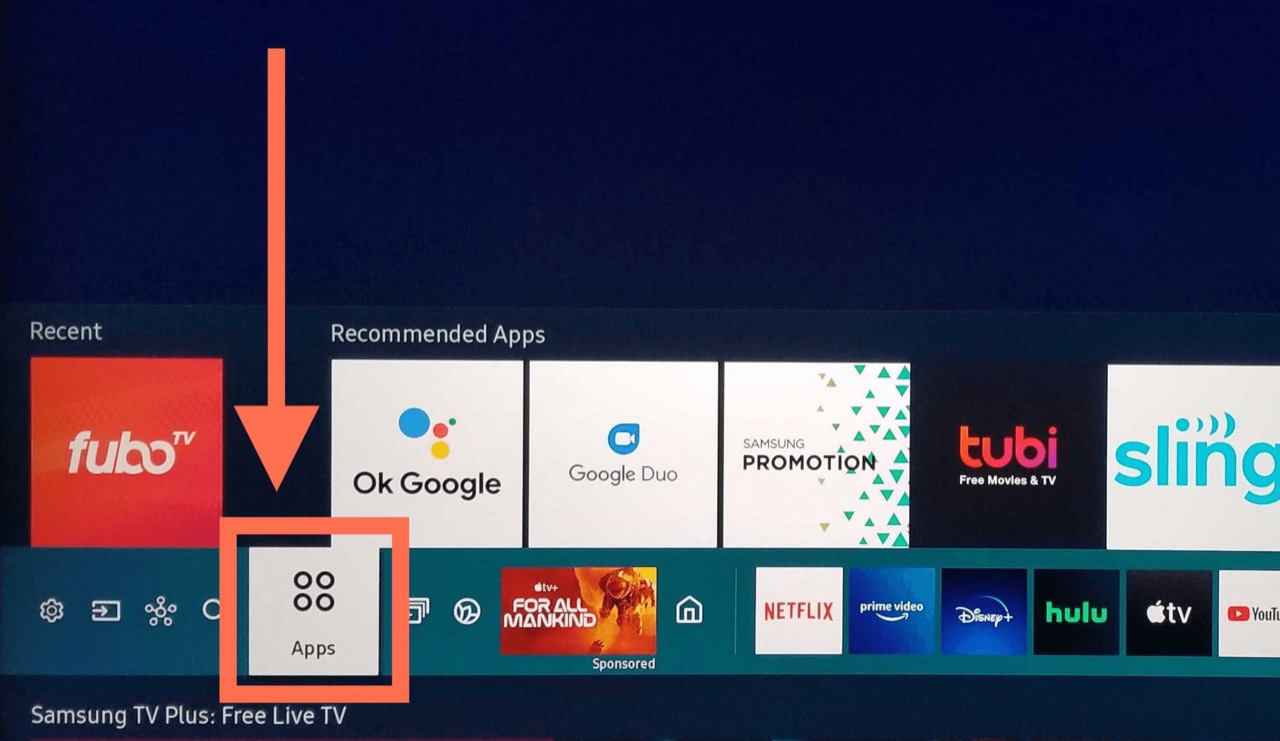
Open your TV's app store
On your Samsung or LG TV, use the remote to open the Smart Hub (Samsung) or Content Store (LG) — the platform where you find and install apps on your TV.
- 2
Smarters Pro on Smart TV
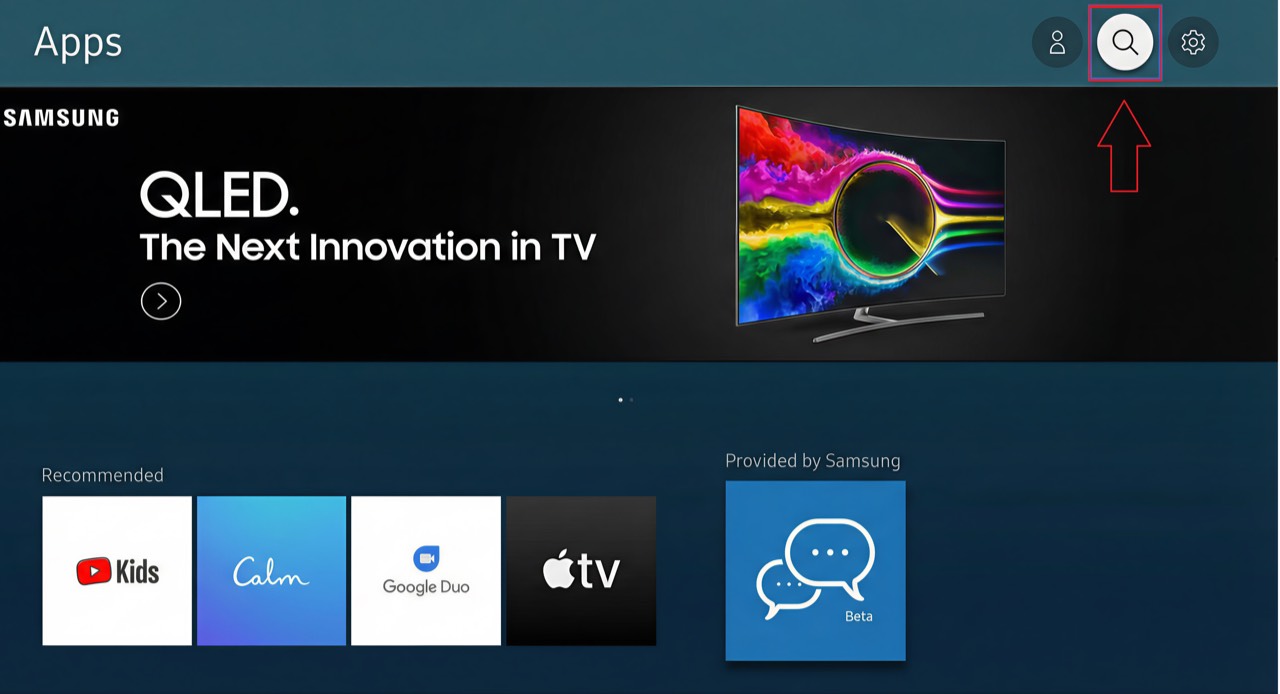
Search for Smarters Pro
Use the search function, type smarters pro and press Enter.
- 3
Smarters Pro on Smart TV
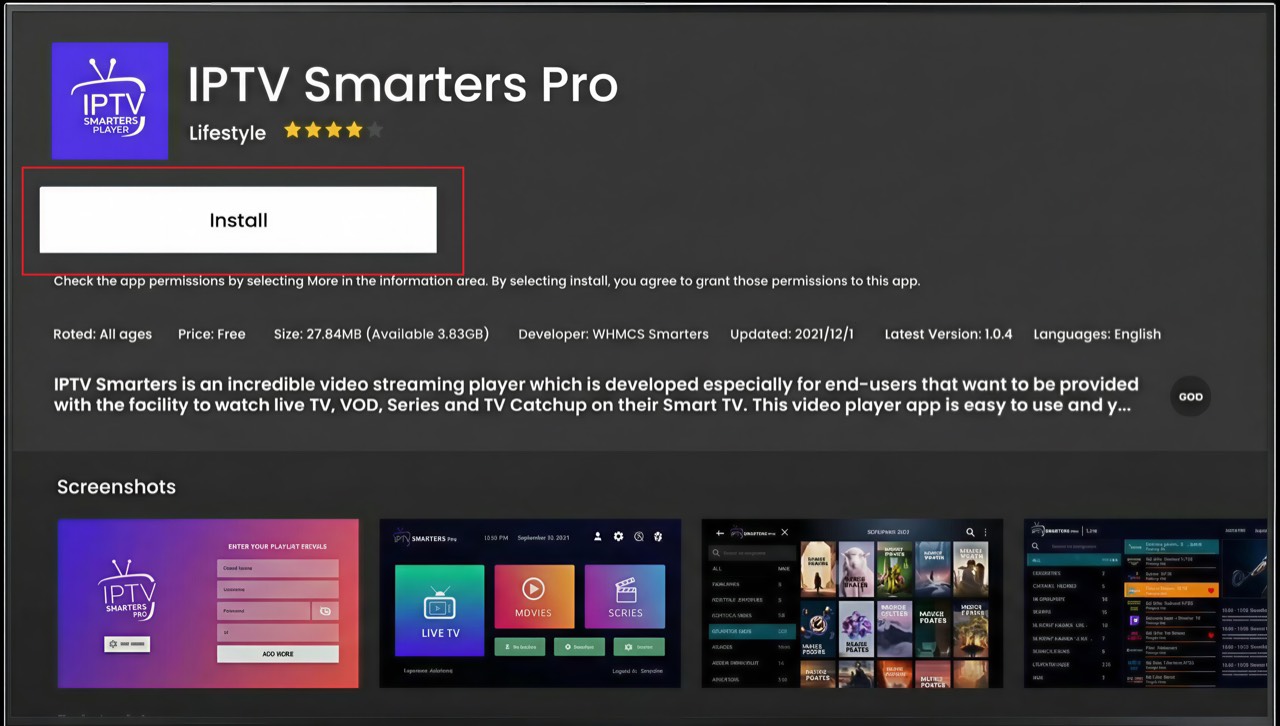
Download & install
Select the Smarters Pro app to open its details, click Install and wait for it to finish. The app installs automatically on your TV.
- 4
Smarters Pro on Smart TV
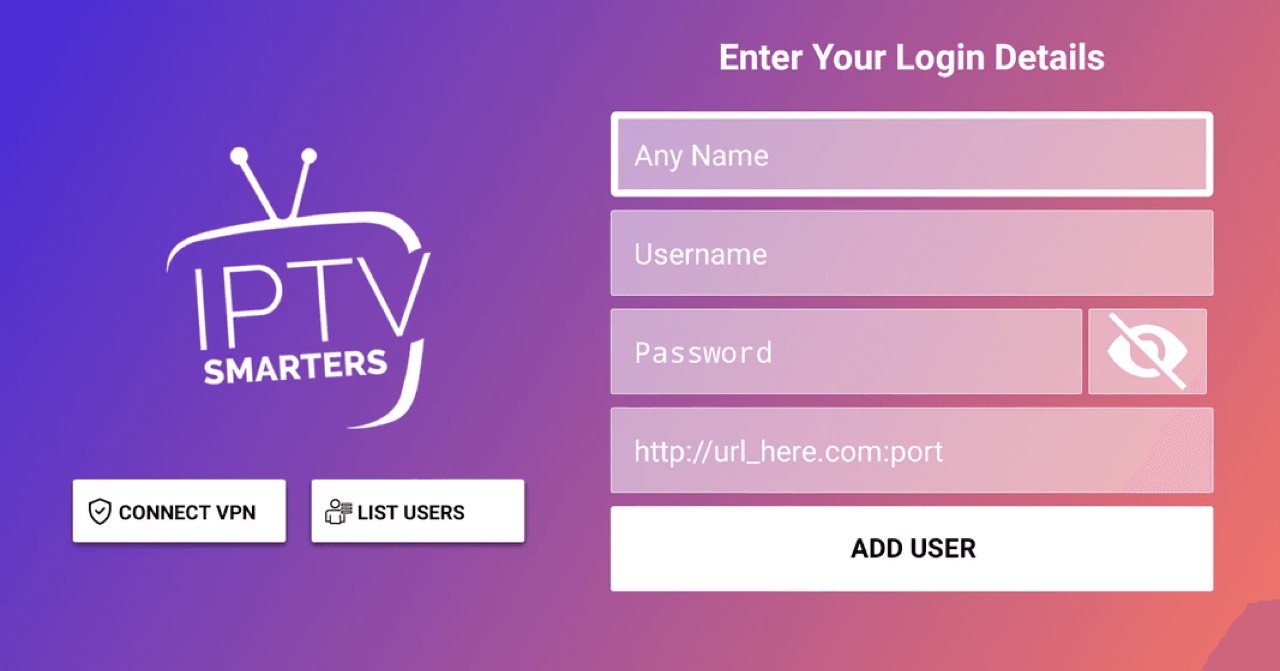
Log in to your account
Open Smarters Pro. If asked for a connection mode, always choose Xtream Codes API, then enter your details. You'll find your username, password and server URL on your order page in this portal (Subscriptions → your order). They were also sent to you after purchase.
Tip: That's it — no extra activation needed with this app. If Smarters Pro isn't available in your TV's store, switch to the IBO Player option above.
- 5
All set
Smarters Pro is ready on your Smart TV — your channel list and VOD library are loading. Enjoy!
IBO Player
Alternative if Smarters Pro isn't in your TV's store
- 1
Smart TV via IBO Player
Install IBO Player on your TV
Open your Smart TV's app store (Samsung, LG, Android TV…) and search for IBO Player. Install and launch the app.
Tip: IBO Player is available on Samsung, LG and Android TV.
- 2
Smart TV via IBO Player
Note your MAC address & Device Key
Once the app is running, it displays your device's MAC address and Device Key on screen. Write both down — you'll need them next.
- 3
Smart TV via IBO Player
Activate on the IBO Player website
On your phone or computer, open the IBO Player activation page and enter the MAC address and Device Key shown on your TV.
- 4
Smart TV via IBO Player
Choose your setup method
Once connected you have two options:
• +Add Playlist — use your M3U link
• +Add XC Playlist — use your Xtream Codes credentials (username + password + server URL)Tip: If you have a username & password, use the XC Playlist option. If you have a long URL ending in .m3u, use Add Playlist.
- 5
Smart TV via IBO Player
Enter your credentials
Give your playlist any name, fill in your details, then click Connect. You'll find your username, password and server URL on your order page in this portal (Subscriptions → your order). They were also sent to you after purchase.
- 6
Smart TV via IBO Player
Restart the app on your TV
Go back to your TV and restart IBO Player. It will sync and display your full channel list.
- 7
All set
IBO Player is ready on your Smart TV. Your channel list and VOD library are loaded — enjoy!
Stuck?
If the app installs but playback stutters, that's usually connection- or device-related rather than a problem with the channel — work through ourbuffering fixes guide. For anything else, contact support.
Setting up a different device? See all setup guides.